# Setup with Model Engine
{% hint style="info" %}
**Requirements**: This method requires [Model Engine](https://mythiccraft.io/index.php?resources/model-engine%E2%80%94ultimate-entity-model-manager-1-19-4-1-21-4.1213/) to be installed.
{% endhint %}
## Step 1:
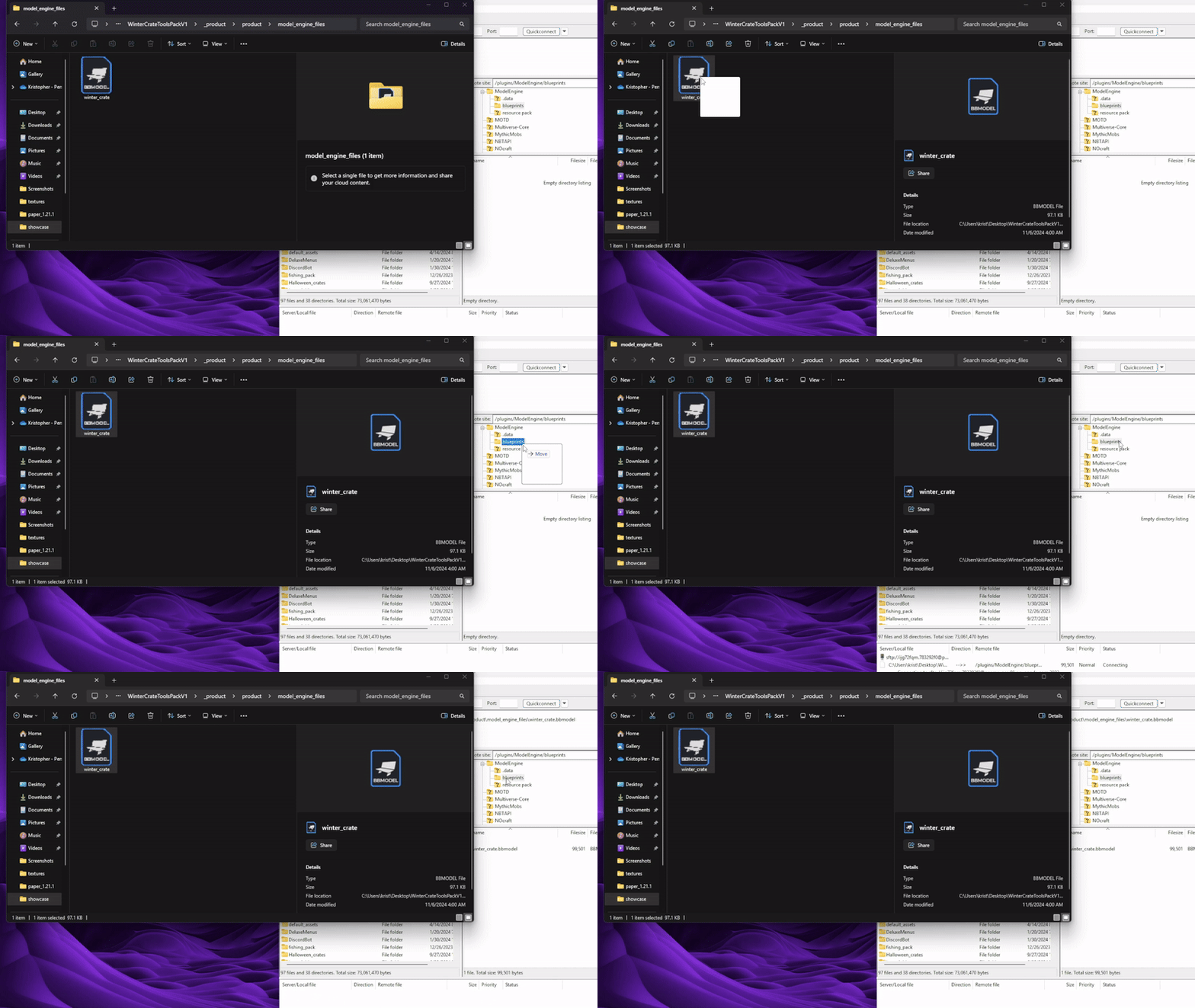
Open the **model\_engine** folder. Inside, you will find the **.bbmodel** for the crate.
Main Folder
## Step 2:
Drag and drop the **.bbmodel** file inside the **blueprints** folder of **Model Engine**.
Example With the Winter Crate
## Step 3:
Reload **Model Engine** by running the **/meg reload** command to generate a new resourcepack.
## Step 4:
Merge the resourcepack generated by model engine with your server's resourcepack
Merge with Nexo
Open the **settings.yml** file of Nexo and find the following option to check if its enabled.
```yaml
import:
modelengine: true
```
Run **/nexo reload all** to generate a new resourcepack, which will include the model engine's resourcepack.
Merge with ItemsAdder
Open the **config.yml** file of ItemsAdder and find the following option to add the model engine's resourcepack.
```yaml
merge_other_plugins_resourcepacks_folders:
- "ModelEngine/resource pack"
```
Run **/iazip** to generate a new resourcepack, which will include the model engine's resourcepack.
Merge with Vanilla Resourcepack
Open the **ModelEngine** folder. Inside you will find a zipped file named resource pack.

That file needs to be merged with the resourcepack that you already have on your server. To achive that you can you an [online merger](https://merge.elmakers.com/).
If its your first time using a resourcepack on your server and you are lost, make sure to check out our detailed guide by [clicking here](https://wiki.myphoenixstore.com/models/vanilla-resourcepack-guide).
.png?alt=media&token=f2890841-082a-42b9-8d3e-b9949ee078f1)